


I notice screen glare most when a home office looks bright but the desk faces a window or a bare bulb reflects across the monitor.
Good lighting needs to support the work without making the room feel harsh, so the position and direction of each light matter as much as its brightness.
I would first adjust the desk and window coverings, then test a lamp that fills in shadows without shining straight at the screen.
Small changes can make long work sessions easier on the eyes.
These practical lighting approaches offer useful options to try and adapt to the way your own office is arranged.
Use Window Shades to Limit Screen Glare

A simple window shade can cut the glare that makes a computer screen tiring to use. A light-filtering fabric lets daylight into the room while reducing the brightness that falls across the desk.
This approach works well in a home office beside a sunny window. Choose a shade you can adjust during the day, and position the screen so it does not face the window directly.
Use Adjustable Task Lighting Near Your Screen

A desk lamp with a movable shade lets you direct light onto paperwork instead of across your monitor. This helps reduce reflections while keeping the work surface easy to see.
Place the lamp to the side of your screen, then angle it down so the bulb does not shine toward your eyes or onto the display. A shaded lamp, like the green banker’s lamp shown here, can suit a traditional home office.
Position Your Desk to Cut Screen Glare

A desk near a window can make a home office feel pleasant to work in, but direct daylight can reflect off a screen and make it harder to see. Placing the monitor at an angle to the window, rather than directly opposite it, is a simple way to reduce that glare.
Sheer curtains help soften strong daylight without making the room feel dark. If the sun still hits the screen, adjust the curtains or move the monitor slightly before relying on brighter screen settings.
Use Adjustable Task Lighting to Limit Screen Glare

A desk lamp that aims light at the work surface can help keep the screen from becoming the brightest spot in a home office. An adjustable arm also makes it easier to move the light away from the monitor when reflections show up.
Place the lamp to the side of the screen and angle it toward papers or the keyboard rather than directly at the display. This works well on a desk that gets little natural light, but keep the bulb’s reflection out of your normal line of sight.
Set Up a Desk Near a Skylight

A desk in an attic can make good use of space that might otherwise go unused. The skylight brings in daylight, while a monitor lamp gives you a nearby light source for working when the room is dim.
To reduce screen glare, place the monitor away from the direct line of the skylight and adjust the shade as the daylight changes. This setup works well in a small loft office, but check the screen from your usual seated position before settling on the desk placement.
Add Built-In Shelves Above a Home Office Desk
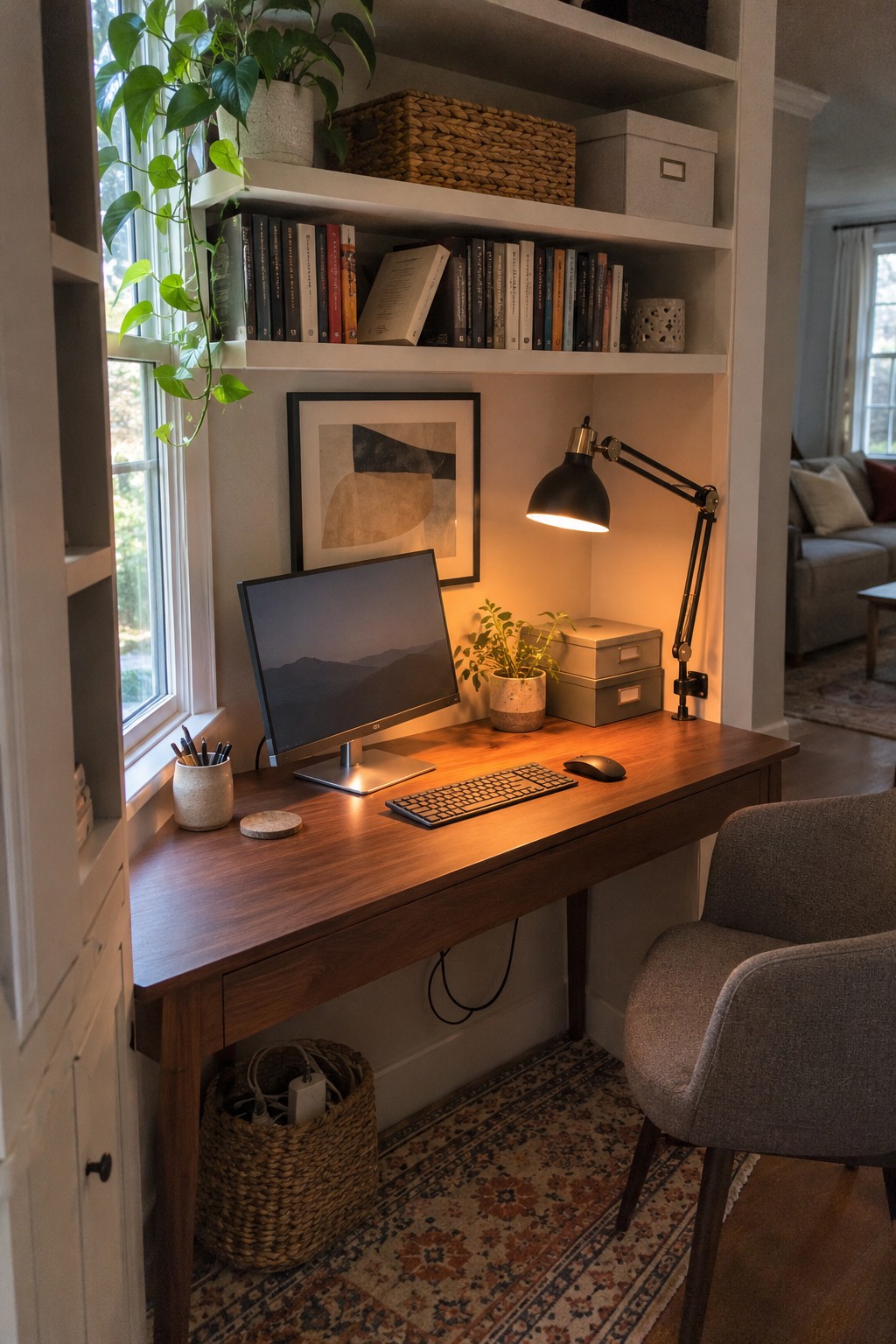
Shelves above a desk make good use of wall space and keep books and supplies close by without taking up room on the work surface. In a home office, that can leave more space for your keyboard and other daily essentials.
If you’re setting up a desk near a window, keep the monitor angled away from direct sunlight to help reduce screen glare. A desk lamp with an adjustable arm, like the one shown here, lets you direct light onto your work instead of the screen.
Add Indirect Light Behind Your Monitor

A light placed behind or beside your monitor can brighten the wall without shining directly onto the screen. This desk uses a slim vertical lamp, which provides a softer alternative to relying on a bright ceiling light.
Place an adjustable lamp off to the side or behind the display, and aim it at the wall rather than the screen. It works well in a home office where daylight changes throughout the day, but keep the bulb out of your direct line of sight.
Use Warm Task Lighting Beside Your Desk
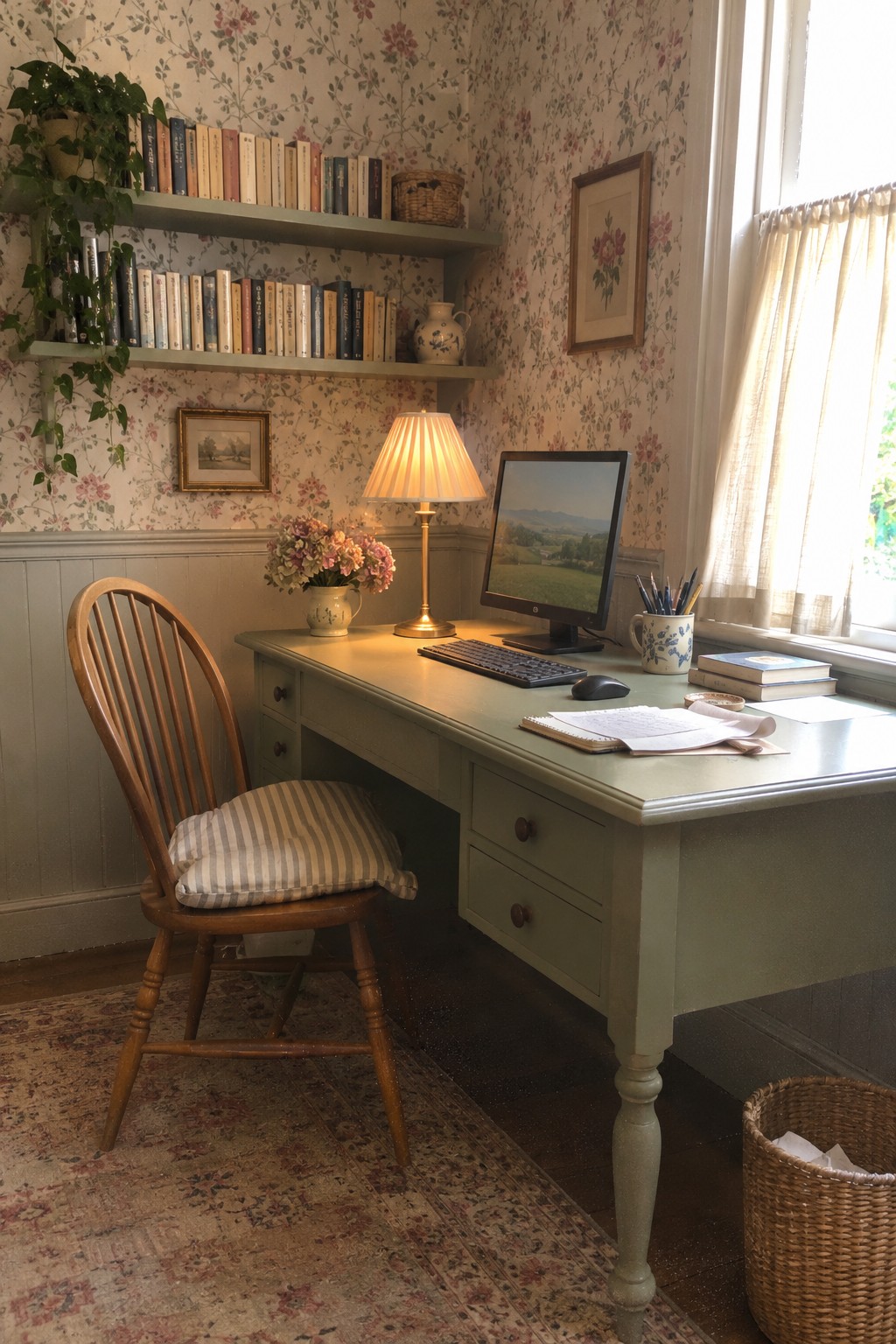
A shaded desk lamp gives you light for writing without relying on a bright overhead fixture. Its warm glow can make evening work more comfortable, while keeping the light source off to the side of the screen.
Place the lamp beside your monitor and aim it at your work surface, not at the display. This setup suits a home office where you read or write at the desk, but keep the bulb’s reflection out of your line of sight.
Use Separate Workstations to Control Screen Glare

A shared office works better when each workstation has its own spot for a monitor and task light. This setup lets people adjust their lighting without shining a lamp directly onto someone else’s screen.
Leave room to change the angle of each lamp, and place it beside rather than behind the monitor. The two-desk arrangement suits a spare room used by a couple or family, though each screen may need a different position depending on the windows.
Choose a Desk Lamp With an Adjustable Arm

A task lamp lets you aim light at paperwork or the desk without shining it straight at your monitor. An adjustable arm is especially useful because you can change the direction as the sun shifts or your work changes.
Place the lamp to the side of the screen and angle its shade toward the work surface. In this office, the lamp sits beside the monitor, making that setup easy to adapt. Keep the bulb out of your direct line of sight to reduce glare.
Use a Flexible Yellow Desk Lamp to Avoid Screen Reflections
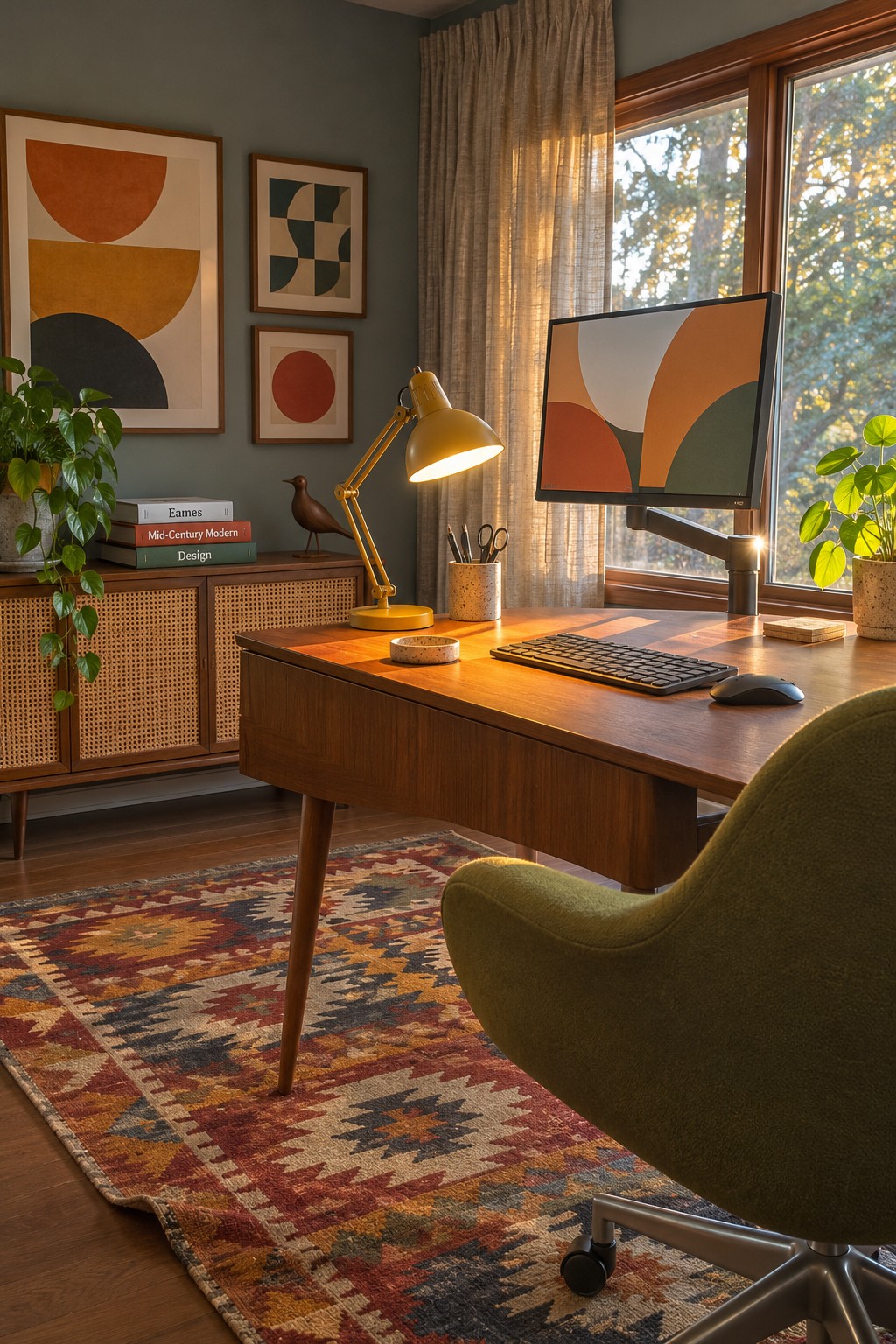
A task lamp that moves easily lets you put light where you need it without aiming it at the screen. This is useful in a home office where daylight changes through the day, since you can adjust the lamp instead of turning up the monitor brightness.
Choose a lamp with a shade that directs light onto the desk, and position it to the side of your screen. A flexible arm, like the one shown here, makes it easier to avoid bright reflections while still lighting your work area.
Choose a Desk Lamp With a Focused Beam

A desk lamp lets you light your work area without making the whole room brighter, which can help keep glare off your screen. An adjustable lamp is especially useful because you can aim its beam at papers or the desk instead of directly at the monitor.
Place the lamp beside or slightly behind your screen, and angle it away from reflective surfaces. A curved black desk lamp sits beside the monitor here, a simple setup for a home office with plenty of daylight.
Use Desk Lighting to Reduce Screen Glare

A focused desk lamp can light your work area without flooding the monitor with light. In this setup, the lamp sits to the side of the screen, so its beam falls on the desk rather than directly onto the display.
Place an adjustable lamp beside your monitor and aim it down at papers or the keyboard. Keep the bulb out of your direct line of sight, and shift the lamp if you notice reflections on the screen. This approach works well in a small home office where overhead lighting is limited.
Use Built-In Shelving to Keep the Desk Clear
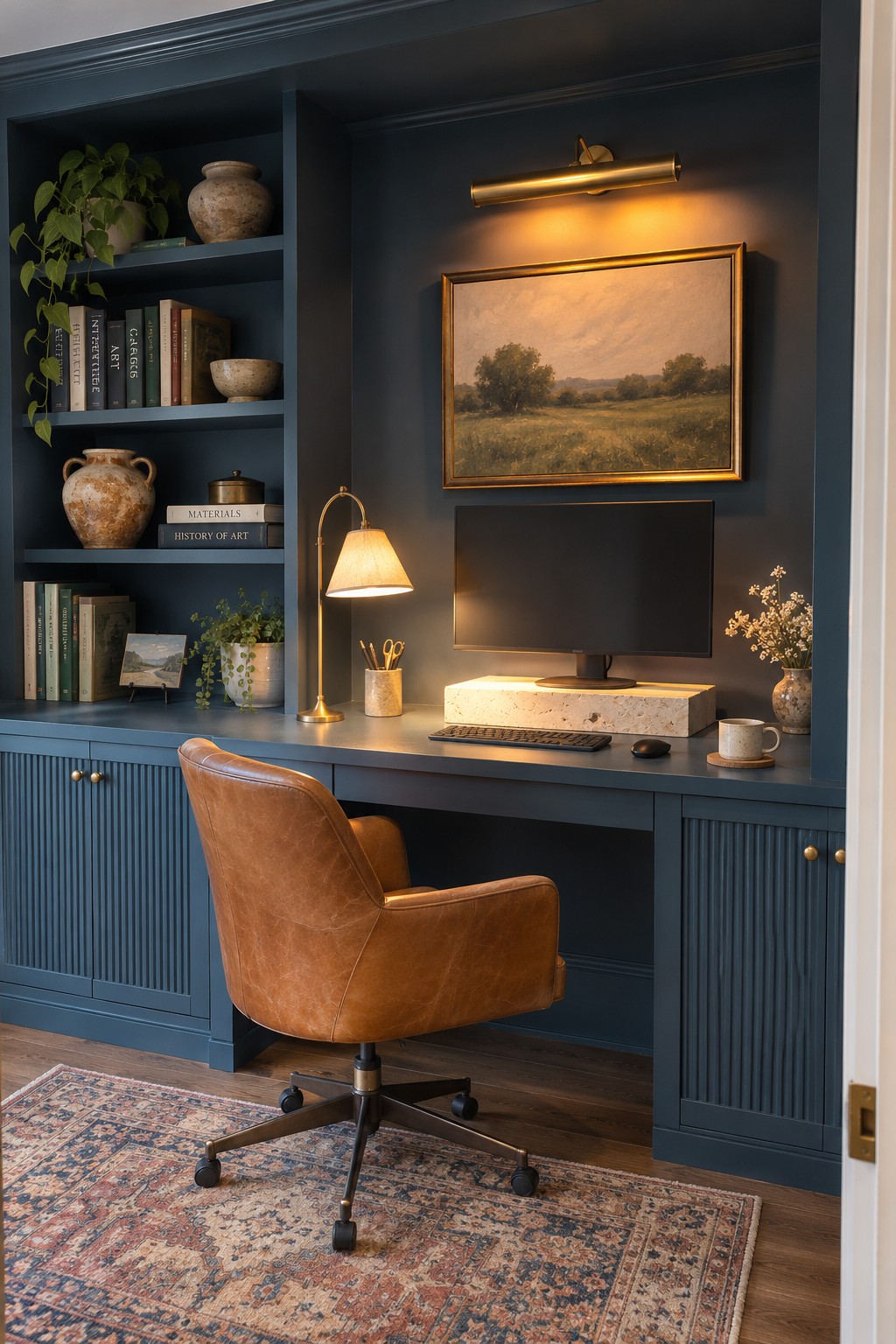
Built-in shelves can give a home office useful storage without taking up floor space. Keeping books and supplies on the shelves leaves more room on the desk for a monitor and task lamp, which can help you place each where it works best and reduce distracting screen glare.
This setup works well in a study nook or a room with an alcove. Keep frequently used items within easy reach, but avoid crowding the desk surface. An adjustable lamp is still helpful, since you can direct its beam away from the screen.
Use Sheer Curtains to Diffuse Window Light

Sheer curtains let daylight into a home office while helping cut the direct sun that can reflect off a screen. They are a simple choice for a desk beside a bright window, and the light still feels natural rather than shut out.
Use curtains that cover the full window, then adjust them as the sun shifts during the day. If glare remains strong, add a shade behind them so you can block more light when needed.
Use a Desk Lamp You Can Aim Away From the Screen

A lamp with an adjustable arm lets you direct light onto your work instead of straight at your monitor. That can make a rustic desk setup more comfortable, especially when the computer sits near a window.
Place the lamp to the side of the screen and aim it down at papers or the desk surface. Adjust it as daylight changes, and keep the bulb out of your direct line of sight to help limit glare.
Keep Task Lighting Separate From the Screen

A separate lamp lets you light the desk without turning up the brightness on your monitor. Here, a small adjustable lamp sits off to the side, so its beam can reach the work surface instead of shining straight at the screen.
Place the lamp beside or slightly behind your monitor, then angle it down toward your keyboard or notes. This setup works well when you need focused light in the evening, but check the screen from your usual seat to make sure the bulb does not reflect in it.
Use a Desk Mat to Reduce Reflections

A matte desk surface can help keep reflected light from competing with what’s on your screen. In this office, the large desk mat provides a less reflective spot for the keyboard and mouse, while the monitor sits nearby.
Choose a low-sheen mat in a size that suits your desk and leaves room for your usual work items. It can help with surface glare, though adjusting the monitor angle or window shade may still be needed if light reflects directly off the screen.
Use a Paper Lantern for Softer Desk Lighting

A paper lantern can provide a gentler alternative to a bare bulb or a bright task lamp. Its diffused light is less likely to create sharp reflections on a monitor, while still making the desk easier to use in the evening.
Place a lantern beside the work area rather than directly behind the screen, and choose a bulb with adjustable brightness so you can keep the glow comfortable. A floor or table lamp with a shade can offer a similar effect in rooms where a hanging fixture is not practical.
Use a Shaded Desk Lamp for Gentler Task Lighting

A desk lamp with a shade can direct light onto the work surface instead of sending a bright bulb toward your screen. In this office, the pale blue shade helps keep the lamp’s light focused on the desk, where it can supplement daylight without adding glare.
Place the lamp beside your monitor and angle it toward your keyboard or notes, not the screen. A movable arm makes it easier to adjust as the daylight changes. Keep the bulb out of your direct line of sight, and choose a brightness that feels comfortable for close work.
Use a Built-In Desk for a Compact Home Office

A desk fitted into an unused nook can make a home office feel more settled without taking over a room. Here, the work surface follows the space beneath the stairs, with drawers close at hand for papers and supplies.
For screen comfort, place the monitor so windows or bright lamps do not reflect directly on it, and aim task lighting at the desk rather than the display. This kind of setup suits a hallway or spare corner, but leave enough room to pull the chair back comfortably.
Adjust Light-Filtering Roller Shades as Daylight Changes

A light-filtering shade can cut the glare that makes a monitor hard to see without leaving the office dark. It works especially well when a desk sits close to a bright window, where changing daylight can create reflections across the screen.
Choose a shade that diffuses sunlight, then adjust its height as the light shifts during the day. If glare still reaches the monitor, turn the screen slightly away from the window rather than making the room darker.
Position Dual Desk Lamps for Glare-Free Task Lighting

A desk lamp with an adjustable arm lets you direct light onto your work instead of toward your monitor. This helps reduce reflections while still giving you enough light for reading or writing.
Place the lamp beside or slightly behind the screen, then aim it down at the desk. A shade can help keep the bulb out of your line of sight, too. Adjust the position as daylight changes.
Use a Desk Lamp With a Shade to Control Light

A shaded desk lamp can light your work area without sending a bare bulb’s glare straight toward your monitor. Here, the metal shade directs light down onto the desk, leaving the screen easier to view.
Place the lamp to one side of your monitor and angle it toward papers or the keyboard. This works well in a wood-paneled office or any room where you want focused light, but keep the bulb out of your direct line of sight.
Frequently Asked Questions
Q: Where should I put my desk to cut down on screen glare?
A: Try setting it at a right angle to the window, rather than facing the glass or sitting with the window behind you. That keeps direct sunlight off the screen while still giving you natural light.
Q: What should I do if glare changes throughout the day?
A: Use a sheer curtain or adjustable blind to soften shifting sunlight. If glare still lands on your screen, move the monitor slightly or tilt it until the bright reflection disappears.
Q: Are ring lights a good choice for video calls?
A: They can be, but place one beside or just above your screen and keep it dim enough that it doesn’t reflect in your display. A lamp with a shade often feels softer for everyday work.
Q: Should my desk lamp point at my screen?
A: No. Aim it at your desk or a nearby wall instead, so you can see your notes without adding a bright reflection to the screen.
