

A home office can feel comfortable in person but look flat or shadowy on a video call, especially when the only light comes from a ceiling fixture.
I’ve found that light placement matters as much as brightness, since a lamp aimed at the wall can soften the room while a light in the wrong spot creates glare or harsh shadows.
The best setup works with the room’s layout, window light, and the background others see on screen, rather than treating the desk as a separate corner.
Small changes can make a noticeable difference.
Some of these lighting ideas are worth testing with your own camera on, because what looks balanced in the room may read differently on screen.
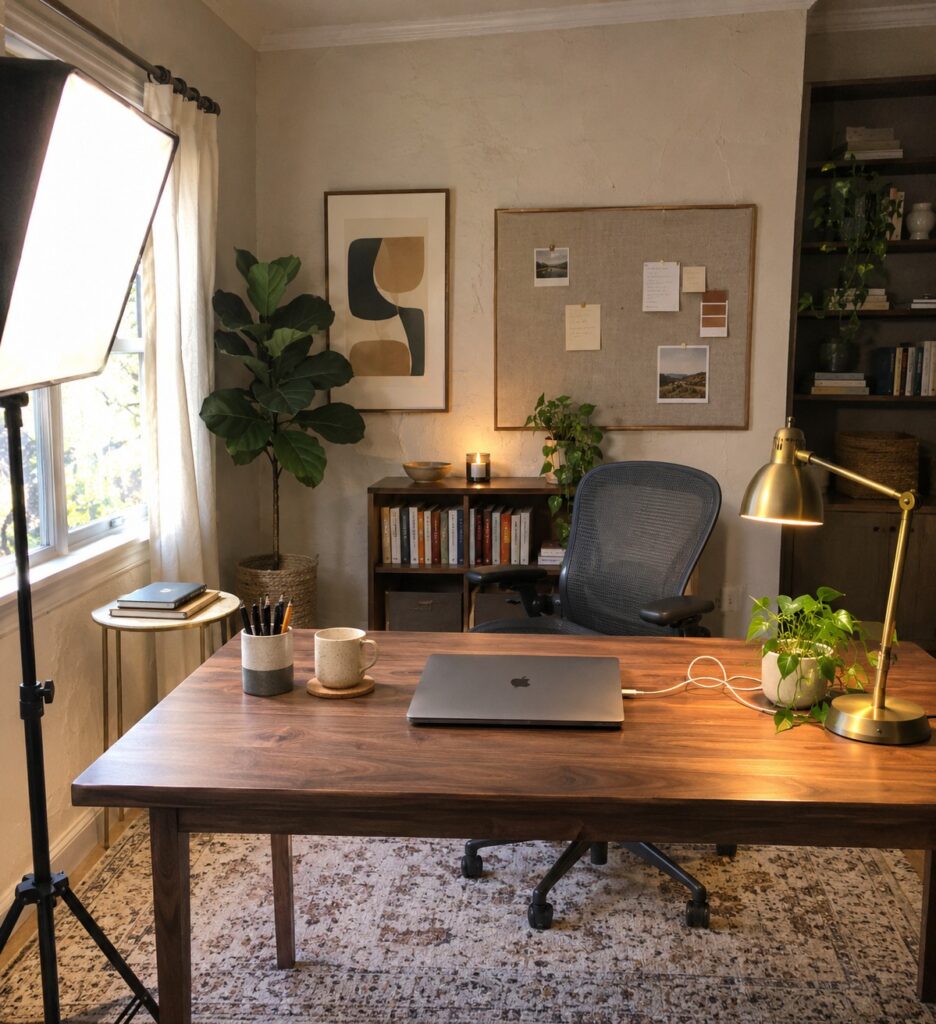
Use Soft Light for Video Calls

A large, diffused light source can make a home office easier to use for video calls by lighting the face more evenly than a bare bulb. It also works well alongside a desk lamp, which can provide extra light for reading or working after the call.
Place the diffused light near the desk and slightly to one side of the camera, rather than directly behind you. Adjust its brightness so your face is clear without washing out the background.
Use Diffused Desk Lighting for Video Calls

A desk lamp with a broad, diffused light can make your face easier to see on camera without the harsh glare of a bare bulb. It also gives you a steady light source when daylight from a nearby window changes.
Place the lamp slightly in front of you and off to one side, then adjust it so the light reaches your face without shining into your eyes or reflecting on your screen. A shade or diffuser helps keep the light gentle.
Use Layered Lighting in a Home Office
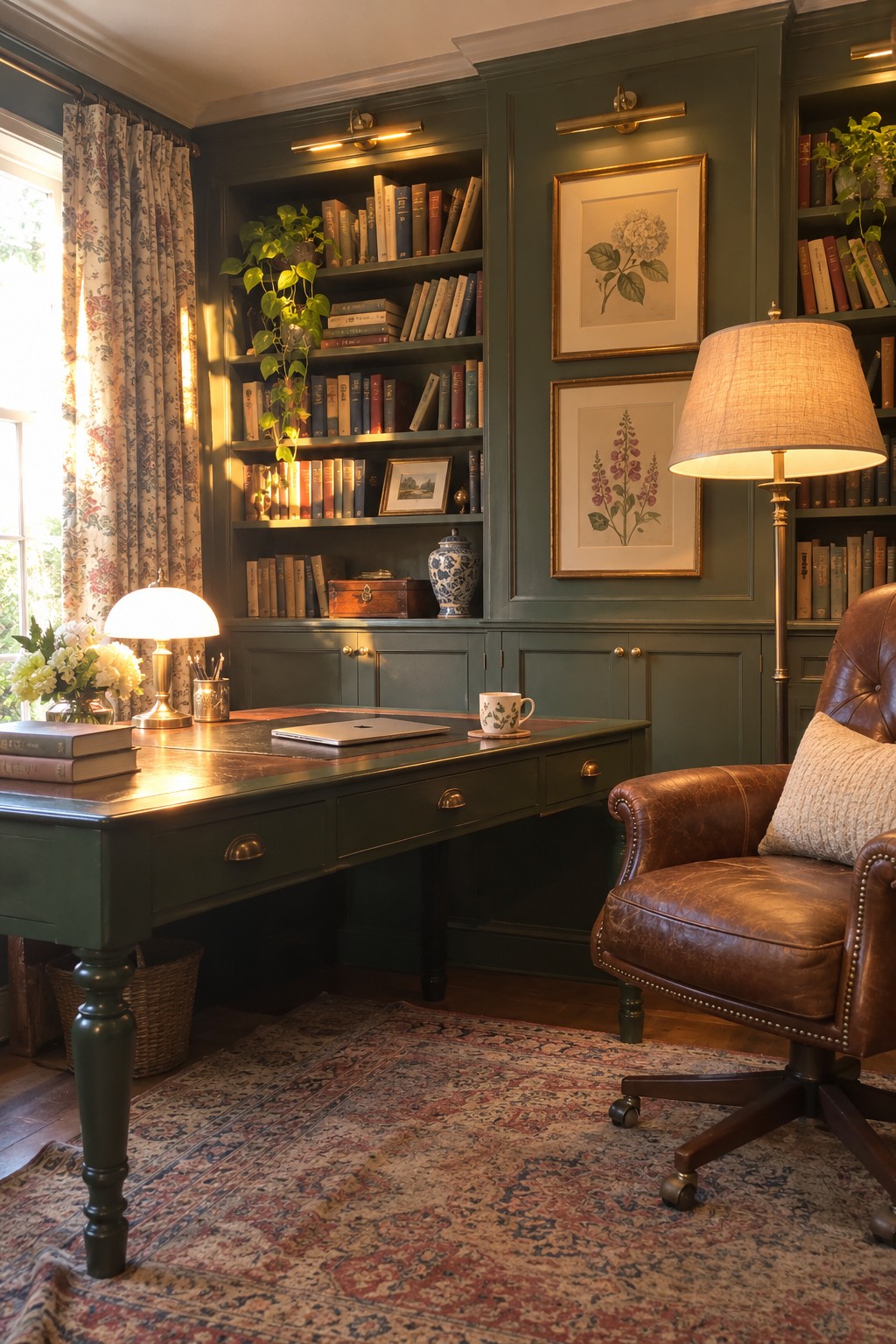
A home office feels more comfortable when it has more than one light source. A desk lamp can light up paperwork, while a floor lamp helps brighten the rest of the room. This layered approach also gives you more control over how your face looks on video calls.
Place a soft light in front of you or slightly to one side, and avoid relying on a bright window behind your chair. In a room with built-in shelves, a small lamp on the desk can add useful light without taking up much space.
Use Layered Lighting for Video Calls
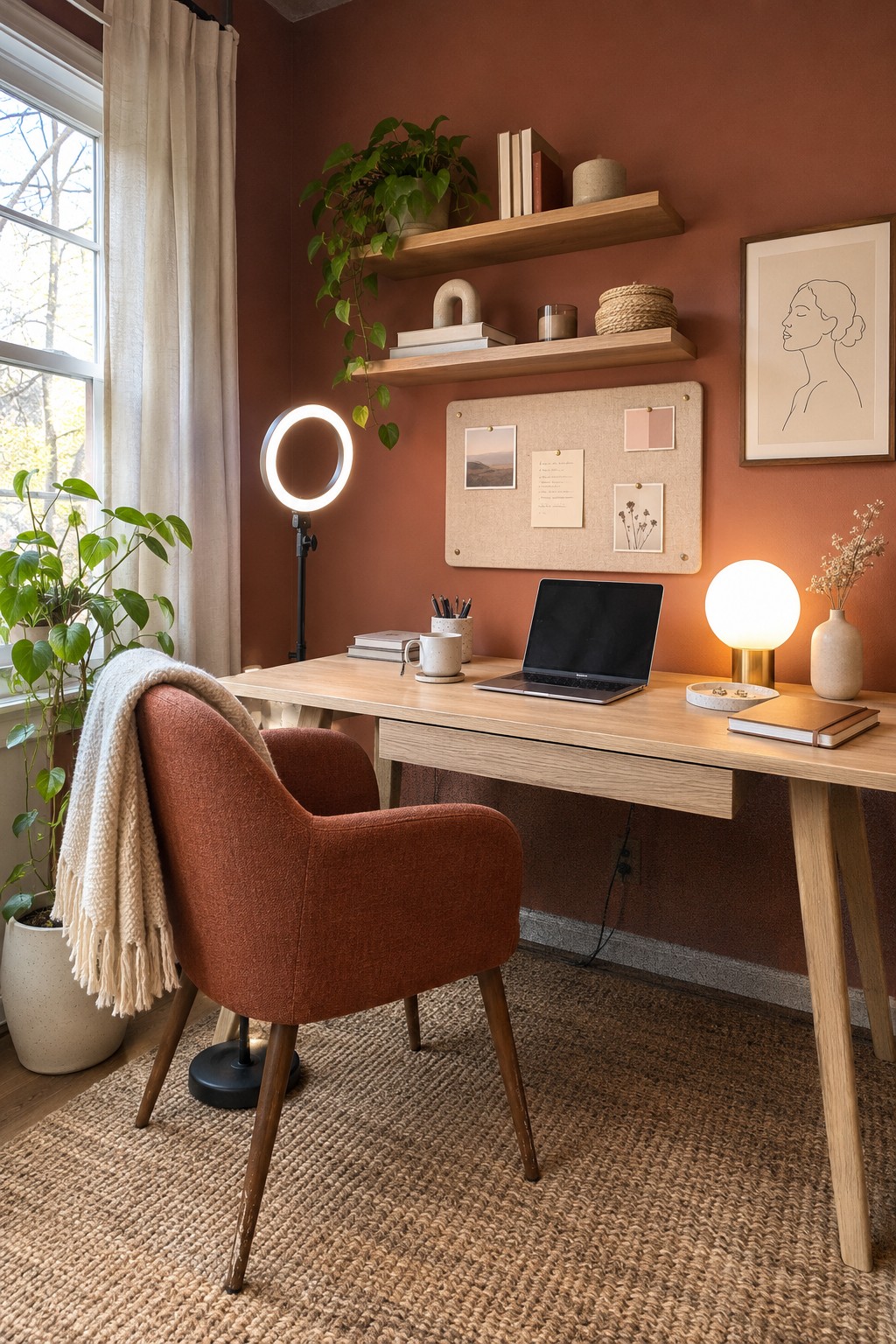
A home office works better when it has more than one light source. A ring light can add even light to your face during a call, while a desk lamp or nearby table lamp keeps the rest of the room from looking too dim.
Place the ring light near your screen, roughly at eye level, and adjust it so it does not create glare. This setup suits a small office or a desk in a shared room. Test it during a video call first, since bright light can look harsh if it is too close.
Add a Floor Lamp Beside Your Desk

A floor lamp beside the desk can light your face more evenly than a single overhead light. Its fabric shade helps spread the light, which is useful for video calls and makes the office comfortable for reading or paperwork too.
Place the lamp slightly in front of or beside your chair, angled toward your face rather than shining directly into the camera. Choose a warm-white bulb and check your video preview to make sure the light is not too bright.
Choose a Desk Lamp That Lights Your Face

A movable desk lamp gives you more control over how you look on a video call than overhead lighting alone. In this office, the lamp sits to one side of the desk, so it can be angled toward the person using the chair.
Place a similar lamp slightly behind your screen and aim it toward your face, keeping the bulb out of the camera’s view. A shade helps direct the light, and an adjustable arm makes it easier to fine-tune the angle.
Add Under-Shelf Lighting to Your Desk

A light tucked beneath a shelf can brighten the work surface without taking up desk space. Here, it helps illuminate the wall behind the desk, which can make a home office look less shadowy on video calls.
Choose a warm, diffused strip light and position it so the source itself is not visible from your seat. It works especially well above a compact desk, but check the light in your webcam before settling on a brightness.
Choose a Desk Lamp With a Fabric Shade

A shaded desk lamp can give a home office a softer, more comfortable look on video calls. In this room, the pleated shade sits on the desk and provides a warm source of light without the bare-bulb glare that can be distracting on camera.
Place the lamp to the side of your screen, and keep it low enough that it does not shine directly into your eyes. A fabric shade works well in a traditional office, but choose a bulb that looks natural on screen and avoid relying on the lamp alone if the room is dim.
Use a Ring Light to Light Your Face

A small light placed near your screen can brighten your face without making the whole room feel harsh. It’s a useful choice for a home office that gets plenty of daylight but still needs steady lighting for calls.
Place the light close to eye level and just behind or beside your laptop. Keep its brightness comfortable, and use a warm desk lamp or window light as a softer fill so your face does not look washed out.
Use a Paper Floor Lamp for Gentle Fill Light

A paper-shade floor lamp can provide a broad, soft glow beside a desk. It helps lift shadows on your face during video calls without the harsh look of a bare bulb. The warm light also feels comfortable for evening work.
Place the lamp slightly to the side of your screen and check how it looks on camera. A glowing paper lantern on a tripod is one option, but keep it dim enough that it does not overpower daylight or your main desk light.
Use a Skylight to Bring Daylight to Your Desk

A desk beneath a skylight can make daytime work feel more comfortable and help reduce the need for bright overhead lights. Natural light is useful for video calls, though direct sun can make your face look uneven or wash out the screen.
Place your desk so the skylight lights your face from the front or side rather than shining straight onto your monitor. A small desk lamp can fill in on cloudy days or during evening calls.
Use a Warm Table Lamp Behind Your Desk

A lamp on the cabinet behind a desk can add a gentle glow to the background during video calls. This helps the office feel less stark, while keeping the main work area clear.
Choose a shaded lamp that gives off a soft, warm light, and place it behind you but outside the camera’s view. Keep it dim enough that it does not compete with the light on your face.
Use a Window as Your Main Video Call Light
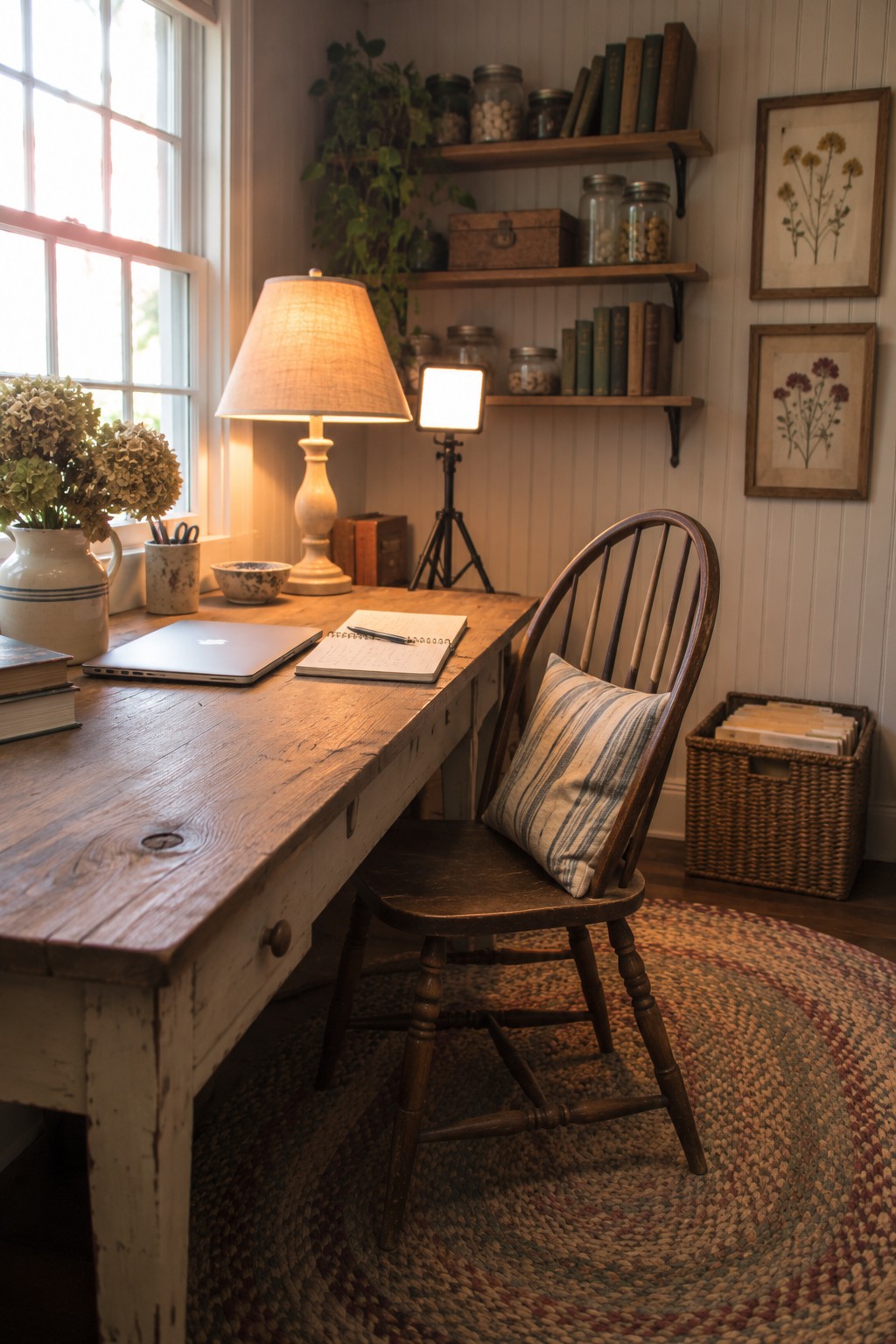
Natural light from a nearby window can make your face look clear and even on video calls. A desk placed beside the window gets useful daylight without needing a bright lamp pointed straight at you.
Set up so the window is in front of you or slightly to one side, rather than directly behind you. Daylight changes throughout the day, so keep a small adjustable light handy for cloudy afternoons or evening calls.
Keep Your Face Well Lit From the Front

A slim vertical light beside the desk can help brighten your face evenly for video calls without taking up workspace. It’s a simple alternative to a lamp sitting on the desk, especially when the desk is already in use.
Place the light near eye level and slightly in front of you, rather than behind your chair. Choose a diffused, adjustable light so it feels comfortable to look toward and does not create harsh glare.
Use a Desk Lamp With an Adjustable Arm
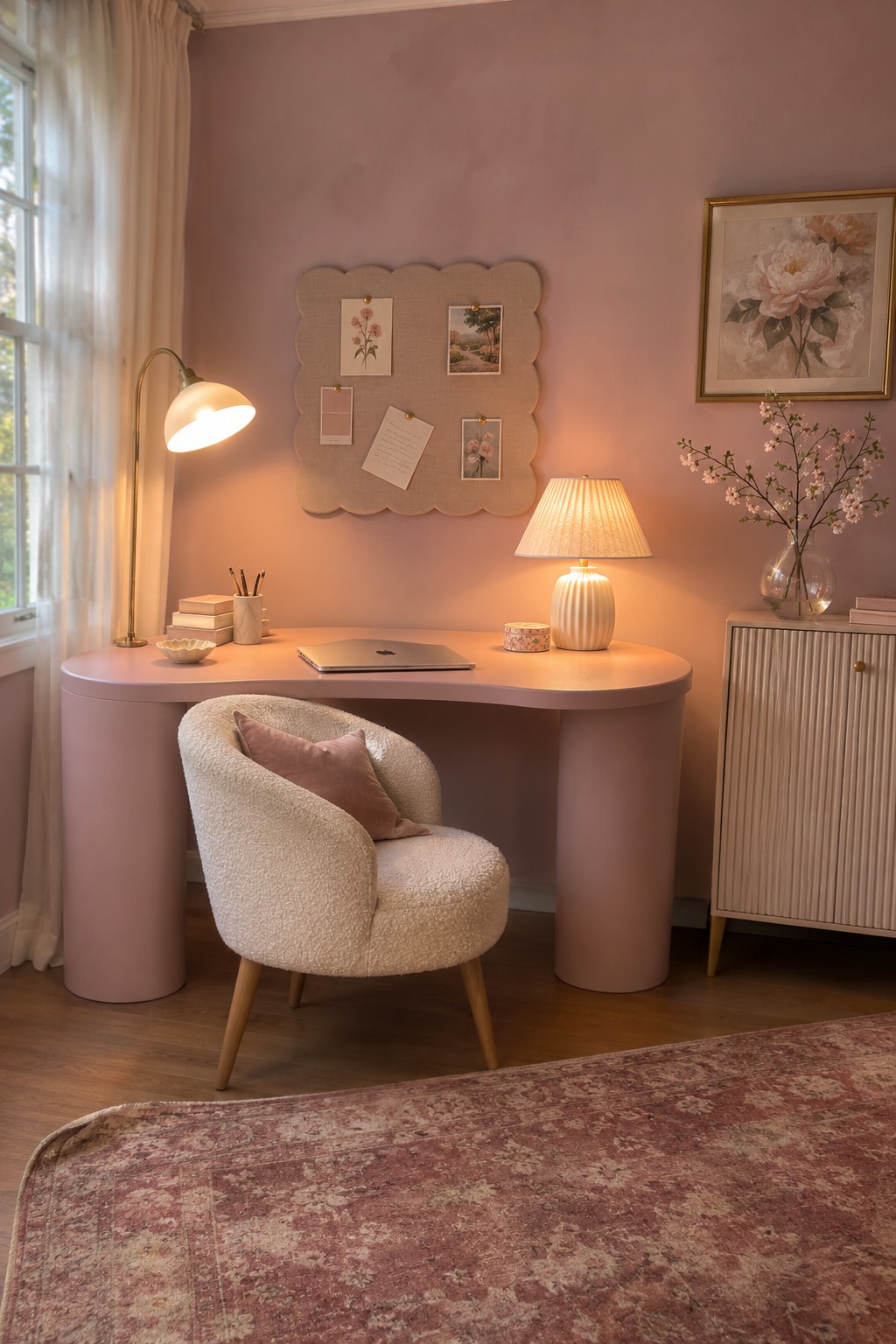
A desk lamp with an adjustable arm lets you direct light toward your face instead of relying on overhead lighting. This can help you look clearer on video calls, and the lamp can be moved aside when you do not need it.
Place it near your monitor and angle the shade so the light falls softly across your face. A warm bulb can work well in a home office, but avoid aiming the beam straight at the camera or using a bulb that feels glaring.
Use a Desk Lamp to Light Your Face

A desk lamp can provide useful light for video calls, especially when your desk sits away from a window. Here, a brass lamp with a broad shade directs light toward the work area, giving you a practical source to adjust.
Place the lamp slightly to one side of your screen and aim it toward your face, rather than pointing it straight at the camera. Choose a shade that diffuses the bulb, and keep the light at roughly eye level to avoid harsh shadows.
Set Up Your Desk Beside a Window

A desk near a large window can provide broad, natural light for video calls. It also leaves more room for a small lamp to fill in when daylight fades.
Place the desk so the window is in front of you or slightly to one side, rather than directly behind you. Sheer curtains can help reduce glare while still letting daylight reach your face.
Add a Diffused Key Light to Your Home Office
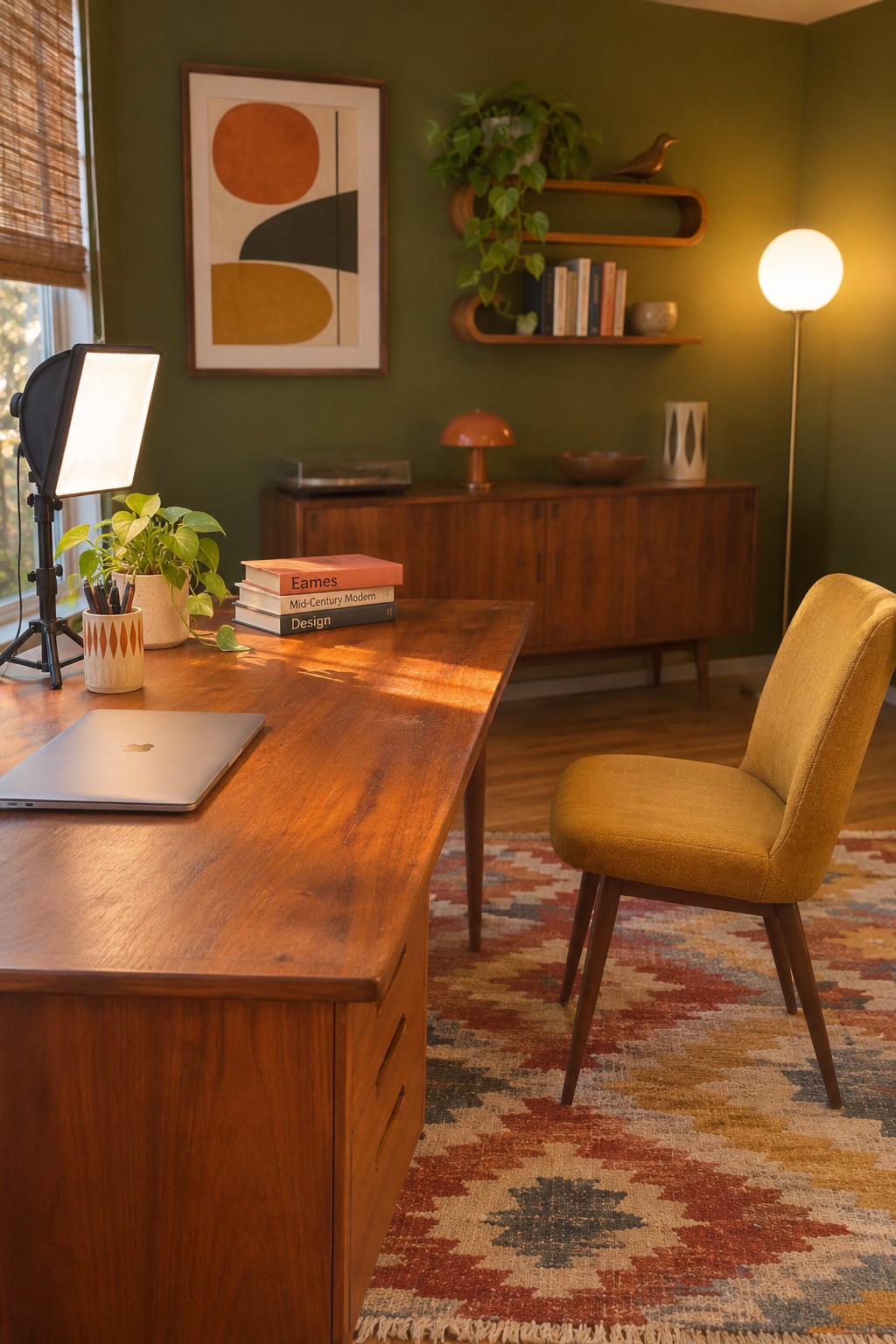
A soft light aimed toward your face can make video calls look clearer without the harsh shadows a bare bulb may create. A diffused panel light is a practical choice when your desk sits beside a window, where daylight can change throughout the day.
Place the light just in front of you and slightly to one side, then adjust its height so it reaches your face evenly. Keep it out of the camera frame, and lower the brightness if it competes with daylight.
Use a Wall Sconce to Light a Built-In Desk

A wall sconce can keep a small home office clear of extra lamp bases while providing steady light near the desk. A fabric shade helps diffuse the light, which can be more comfortable during video calls than a bare bulb.
Place the sconce high enough to light your face from the front without shining directly into your eyes. This works especially well in a desk nook with limited surface space. For calls, check your camera view and add a small front-facing light if the wall fixture leaves your face in shadow.
Use a Softbox for Even Video Call Lighting

A softbox can give your face a more even light than a bare bulb, which helps reduce sharp shadows on camera. It works especially well in a home office where daylight changes throughout the day.
Place it in front of you and slightly to one side, just above eye level. Keep it out of the camera frame, and lower its brightness if it makes the rest of your workspace look much darker.
Frequently Asked Questions
Q: Where should I put a ring light for Zoom calls?
A: Place it just above or beside your screen, close to eye level, so the light reaches your face without making you squint. If your glasses catch a glare, move the light slightly higher or off to one side.
Q: Can I use a window as my main light?
A: Yes, as long as the window is in front of you or slightly to the side. Sitting with it behind you can leave your face looking dark, especially when the daylight changes.
Q: What’s an easy fix if my face looks too bright on camera?
A: Move the light farther away or lower its brightness. You can also soften it with a diffuser or a light-colored shade instead of aiming a bare bulb straight at your face.
Q: Do I need a special light for video calls?
A: Not necessarily. A desk lamp with a soft, neutral bulb can work well if you place it in front of you and keep the light even.
