


A desk can look calm at first glance, but a tangle of cords underneath often makes the whole room feel less settled.
I’ve found that good cable storage works best when it suits the desk’s layout and keeps everyday essentials easy to reach.
Small choices, like where a power strip sits or how a lamp cord runs, can make a home office feel more comfortable and easier to use.
The setups ahead show practical ways to keep wires out of sight without making the workspace feel too spare or fussy.
I’d save the ideas that fit your room and test them against the way you actually work.
Keep Cables Out of Sight

A desk feels easier to use when the cords and small accessories have a place of their own. A shallow drawer with simple dividers can hold charging cables and other everyday items, leaving the work surface clear.
This setup works well in a home office where the desk is also part of a living space. Measure the drawer before adding organizers, and leave room for cables to coil without getting pinched.
Keep Desk Storage Out of Sight

A simple desk can feel less cluttered when everyday items have a place beneath the work surface. A shallow under-desk tray keeps small supplies and loose cords off the top, so the main work area stays open.
Choose a tray that fits the desk and leaves room for your legs. For a cleaner setup, route cables through it and secure them underneath, rather than letting them hang along the wall.
Keep the Desk Surface Simple

A clean desk is easier to use when everyday items have a clear place. A single desk mat helps define the work area, while keeping only the keyboard and mouse close at hand leaves room to spread out.
Use a small tray or cup for loose supplies, and route cables behind the desk or along a rear leg. This approach works especially well in a compact home office, where visible clutter can quickly take over.
Use a Monitor Riser to Free Up Desk Space
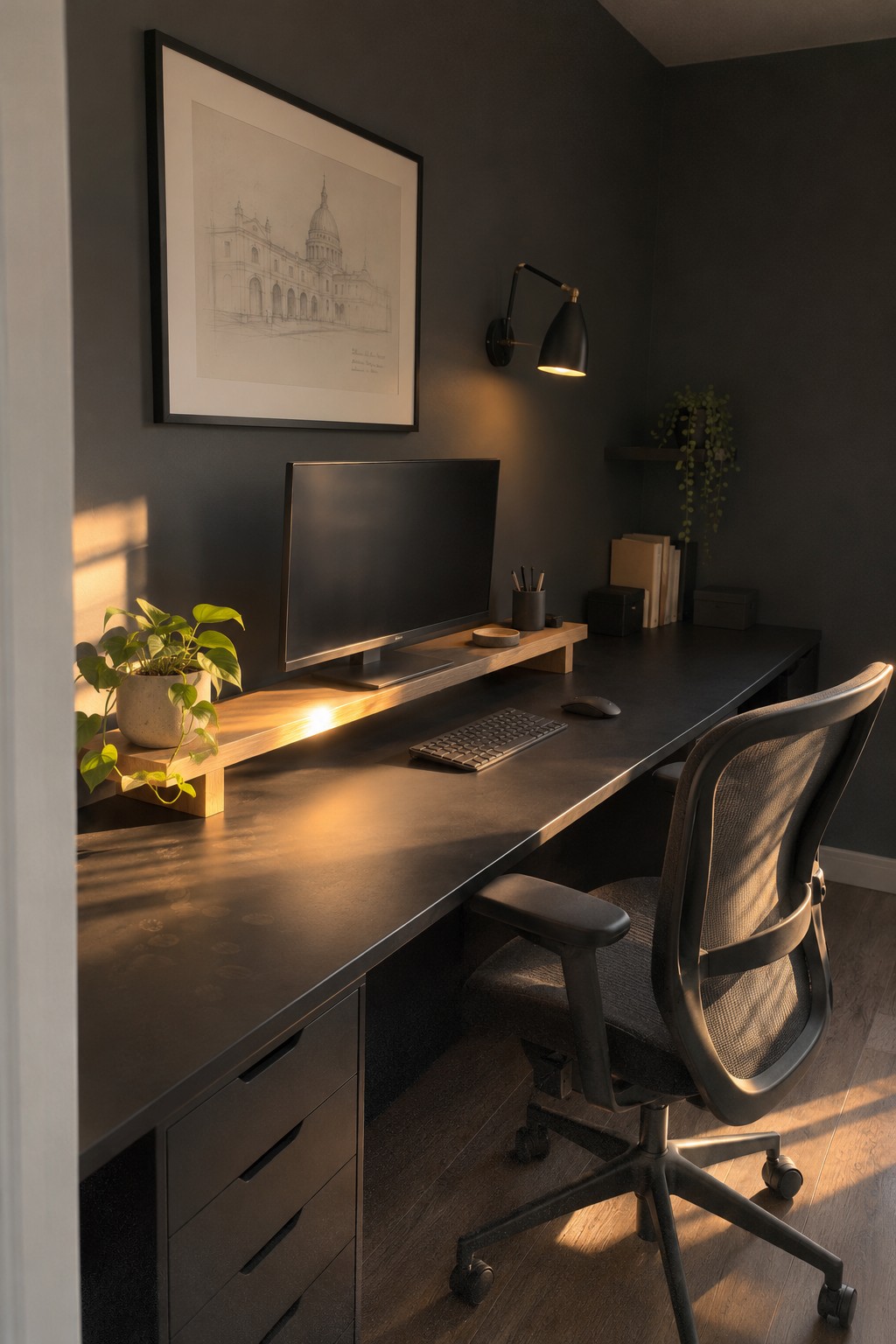
A monitor riser lifts the screen and leaves a useful strip of space beneath it. That can make a desk easier to keep tidy, especially when the work surface is large but storage is limited.
Choose a riser with enough clearance for a keyboard or small items, and plan cable routes before setting it in place. A slim channel or clips along the back can keep cords from spilling onto the work surface.
Choose a Desk With Simple, Solid Lines

A clean-lined wood desk gives a home office a calm look without needing much decoration. The thick top and straightforward legs keep the furniture practical and sturdy, while leaving the work surface easy to use.
This style suits a dedicated office or a small work area in a spare room. Keep the desktop to the essentials, and plan cable routing beneath it so cords do not distract from the simple shape.
Make Use of an Attic Desk Nook

An attic desk can make good use of space that might otherwise go unused. A desk fitted along the wall leaves room to move around, while drawers beneath the worktop keep everyday supplies close by.
This setup works best when the desk depth suits the slope and leaves enough headroom for sitting comfortably. A skylight can bring in daylight, but position the screen to avoid glare.
Use a Monitor Arm to Clear the Desk

A monitor arm frees up desk space by lifting the screens off the work surface. It also makes it easier to adjust their position, which is handy when you use two monitors or want room to spread out a keyboard and mouse.
Choose an arm that fits your monitors and fastens securely to the desk. This setup works well at a home office desk where every bit of surface area counts. Check that the cables can move freely when you adjust the screens.
Plan a Desk Around Built-In Storage

A desk fitted into a wall of shelves can make a home office feel organized without adding bulky furniture. Here, drawers sit beneath the worktop, leaving the main surface clear for daily tasks.
This setup works especially well in a spare room or a shallow alcove where every inch counts. Keep frequently used items in the drawers, and plan cable routes behind the desk before installation so cords stay out of the way.
Keep a Small Desk Setup Comfortable
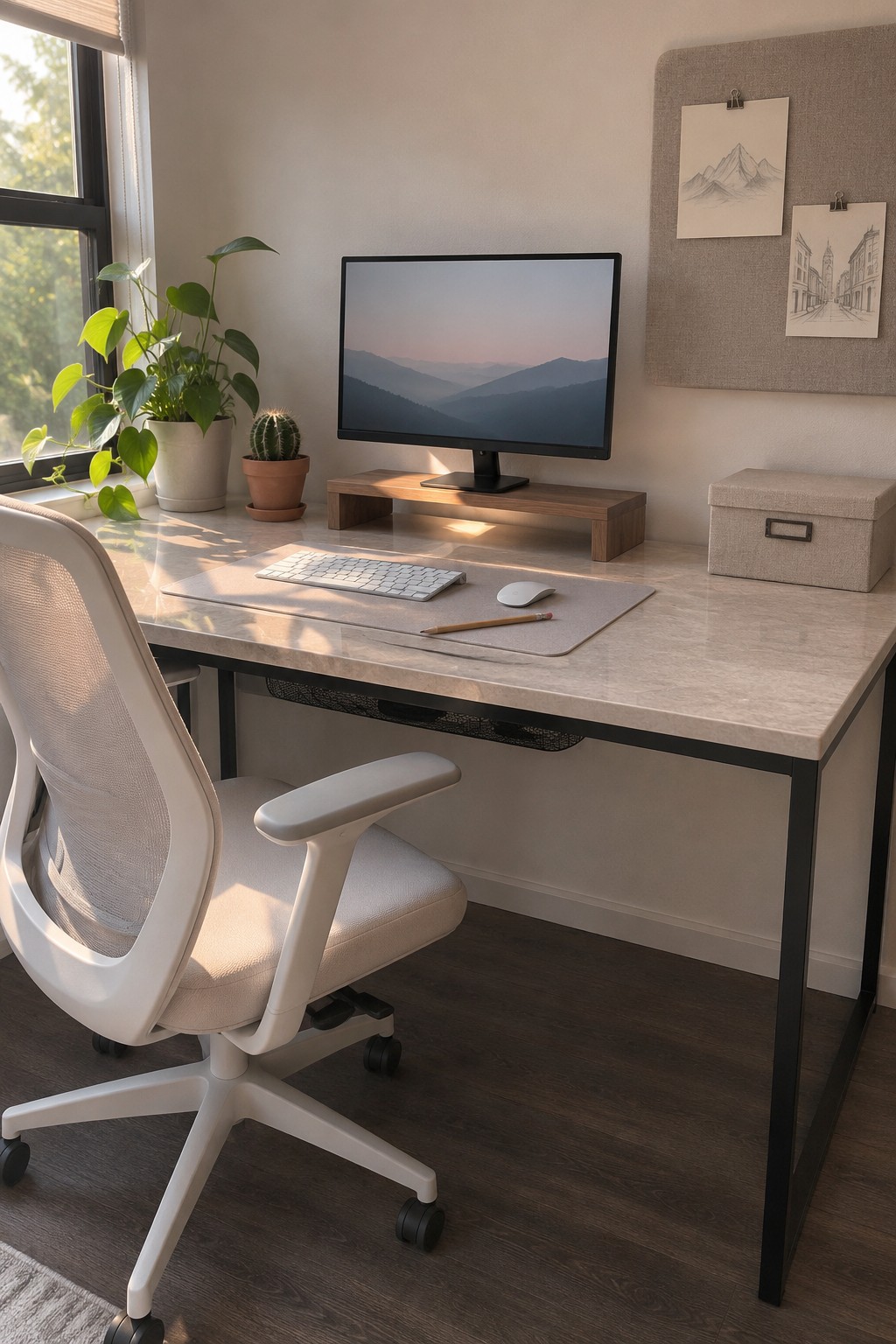
A simple desk can still feel comfortable for everyday work. A monitor riser lifts the screen, while leaving room beneath it and keeping the work surface fairly open.
This setup suits a small home office or a shared room where a bulky desk would get in the way. Keep only the things you use often on top, and route cables along the back or underside of the desk to keep them out of sight.
Set Up a Compact Desk Near a Window

A small desk near a window can make a home office feel pleasant without taking over a room. A floating wood desktop leaves the floor open, and the simple setup gives you room to work without adding bulky furniture.
This layout suits a spare corner or a narrow room. Keep the desk deep enough for your laptop, and plan cable clips or a slim cable tray underneath so cords stay tidy and out of sight.
Let Natural Light Shape Your Desk Setup

A desk near a window can make a small home office feel more pleasant to work in. Keep the surface simple so daylight stays the focus, and use a desk lamp for cloudy days or evening work.
This setup suits a spare room or a quiet corner with a window nearby. Place the monitor so it does not catch strong glare, and route cables along the desk legs to keep them out of sight.
Build a Desk Into an Alcove

A desk fitted into a small alcove makes use of space that might otherwise go unused. Here, the wood desktop spans the niche, while a cabinet at one end provides storage without taking up the legroom beneath the desk.
This setup works well in a home office nook or spare room. Measure the alcove carefully, and plan cable access before installing the desktop so cords can stay tucked away and the work surface stays clear.
Choose a Sit-Stand Desk for a Flexible Workday

A sit-stand desk lets you change positions during the day without needing a second work surface. The simple wood top keeps the setup practical, while the adjustable legs make it easier to switch between sitting and standing.
This kind of desk works well in a small home office where space is limited. Keep the keyboard, mouse, and monitor arranged so they move easily with the desktop, and secure cables beneath it to prevent snags when you adjust the height.
Set Up Two Workstations Along One Desk

A shared desk can give two people a place to work without needing separate rooms. Keeping the workstations side by side makes the most of one stretch of wall, while a drawer unit between them offers a handy spot for shared supplies.
This layout suits a spare room or home office with enough wall space for two chairs. Keep each person’s keyboard and daily items within reach, and plan cable routes before setting up the computers so cords do not collect between the desks.
Choose a Rounded Desk for a Small Office

A rounded desk can make a home office easier to move around in, especially when the desk sits close to a chair or walkway. The curved edge also gives you a little more usable surface without sharp corners jutting into the room.
This shape works well in a small office or a shared room where space feels tight. Look for a sturdy central base, and plan cable routing before placing your computer so cords stay tucked away rather than crossing the open floor.
Use a Wall-Mounted Shelf to Keep the Desk Clear

A shallow shelf above a desk can hold a monitor and a few small items without taking up the work surface. It’s a useful option when you want a simple setup but still need a little room for everyday essentials.
This works well in a small office or a spare-room nook. Leave enough space between the shelf and desk for a comfortable monitor position, and plan how cables will run so they stay out of the way.
Keep Desk Accessories to a Minimum

A simple desk setup is easier to use when only the essentials stay on the surface. Here, the keyboard and mouse sit in front of the monitor, leaving room to work without piling on extra accessories.
This approach suits a small home office or a desk tucked into a living area. Keep supplies in a drawer or nearby container, and route cords behind the desk so the clear surface stays easy to maintain.
Use Open Shelves to Keep a Small Office Useful
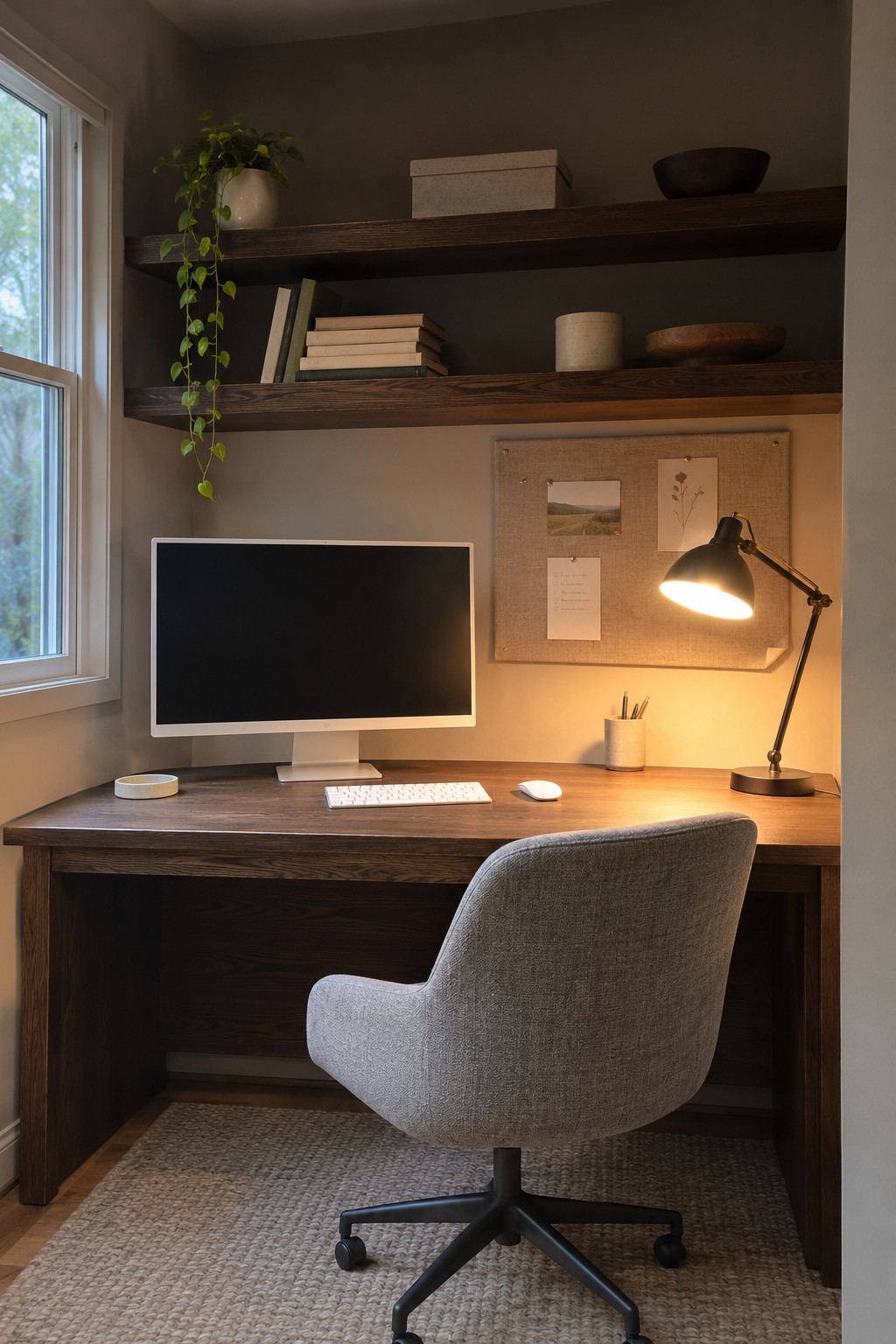
Open shelves above a desk make use of wall space without crowding the work surface. Keeping everyday items up top leaves more room for the things you need while working, and a few books or a small plant help the shelves feel at home in the room.
This setup works well in a compact office where floor space is limited. Keep the desk itself fairly clear, and use simple boxes or baskets on the shelves to keep smaller supplies from becoming clutter.
Choose a Wall Color That Keeps a Small Office Calm

A muted wall color can make a home office feel settled without adding more objects to the desk. It also gives a simple setup a little character, which is useful when the workspace shares a room or sits in a corner of the home.
Dusty terracotta is one option if you want color without a bright, busy look. Keep the desk and storage fairly simple so the wall remains the main accent, and test a sample in the room before painting since warm tones can look different throughout the day.
Use a Laptop Stand to Make Desk Space More Usable

A laptop stand lifts the screen to a more comfortable height and leaves room beneath it for papers or a keyboard. It also helps keep the main work surface from feeling crowded.
This setup works well on a larger desk where you can leave space around the stand for daily tasks. Pair it with a separate keyboard if you work for long stretches, and route the cables down the back of the desk to keep them tidy.
Choose a Curved Desk for a More Relaxed Workspace

A curved desk gives a home office a softer outline than a standard rectangular work surface. The rounded edges make it easier to move around the desk, while a simple wood finish keeps the setup from feeling fussy.
This shape works well in a room where the desk is a main feature, especially if you have enough floor space for its broad footprint. Keep the equipment close to the back edge so the open curve stays useful for writing or spreading out papers.
Frequently Asked Questions
Q: What’s the easiest way to hide cables if I can’t drill into my desk?
A: Stick-on cable clips and an under-desk cable tray can keep cords tucked away without tools or permanent changes. Route everything along the back edge, then leave a little slack so you can move your monitor or laptop.
Q: How do I keep a minimalist desk from looking cluttered when I need several devices?
A: Keep only the devices you use daily on the surface, and give chargers and accessories a home in a drawer or small desk bin. A charging station with short cables also helps cut down on cord tangles.
Q: Should I mount my power strip under the desk?
A: Usually, yes. It keeps the strip off the floor and makes the cable layout easier to manage. Make sure the switch stays reachable and the strip has room to breathe.
Q: What should I do with cables for devices I use only occasionally?
A: Unplug them and coil them with a reusable tie, then store them nearby. A small label can save you from guessing which cable is which later.
